

FRED User Guide
This guide provides instructions for accessing Federal Reserve Board data series through FRED (Federal Reserve Economic Data), maintained by the Federal Reserve Bank of St. Louis. FRED offers multiple methods for finding, visualizing, and downloading economic data, including web-based tools, Excel integration, and programmatic APIs. This guide will help users transition from the Data Download Program (DDP) to FRED's platform.
1. Finding a data series
FRED provides two primary methods for locating data series: searching by series description or using the Board's crosswalk document that maps DDP series IDs to FRED series IDs.
a. Search by the series description
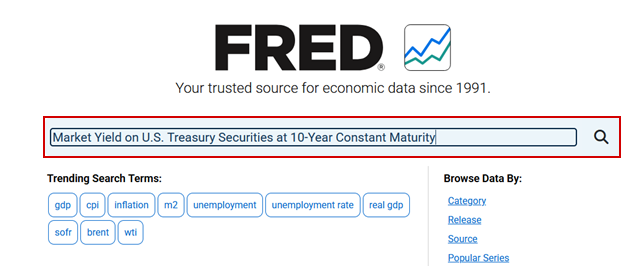
To search for a series by its description, use the search bar on the FRED homepage. Enter keywords related to the economic indicator you're seeking, and FRED will return relevant series.
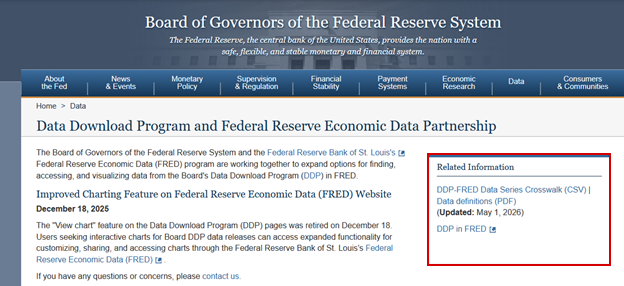
For users familiar with DDP series IDs, the Board provides a crosswalk document (CSV) that maps each DDP series ID to its corresponding FRED series ID. This crosswalk enables quick identification of series without searching by description.
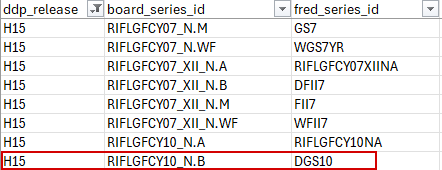
Once you have identified the FRED series ID from the crosswalk, enter it directly into the FRED search bar.
2. Downloading data using a web browser
FRED provides two primary browser-based methods for downloading data: Data Lists and the Excel Add-in. Both methods require a free FRED user account.
a. Using the Data List feature
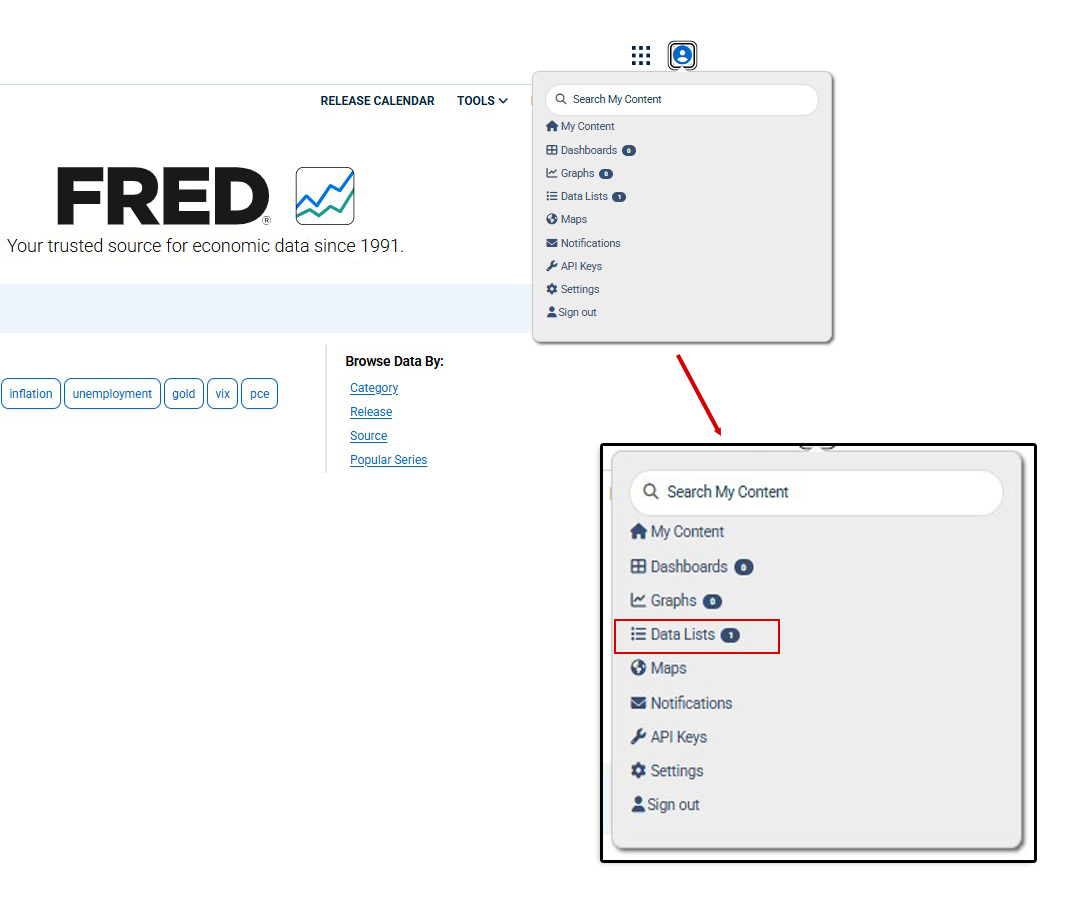
To compile multiple series for export in CSV or MS Excel formats, click on the user icon and select the Data Lists option.
This feature provides similar functionality to the DDP's "Select a preformatted data package" option, allowing users to compile and export multiple series simultaneously.
Note: Each data list must contain series with the same frequency (e.g., daily, weekly, monthly).
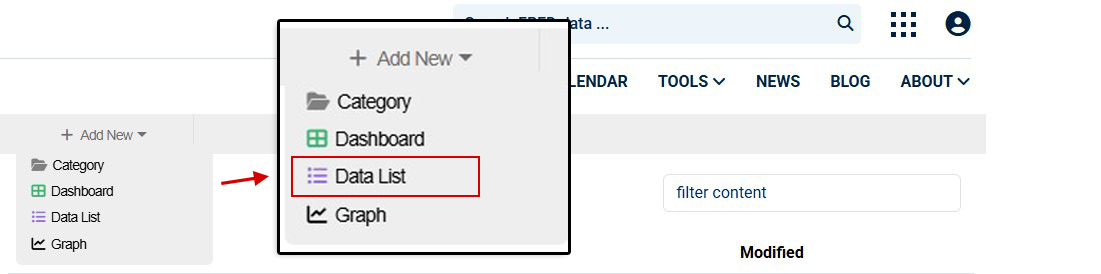
Click the + icon and select Data List.
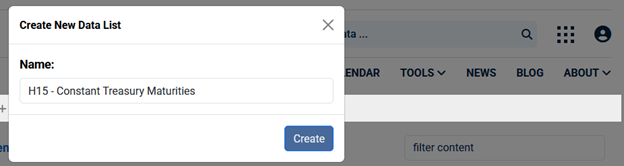
Provide a name for the new Data List.
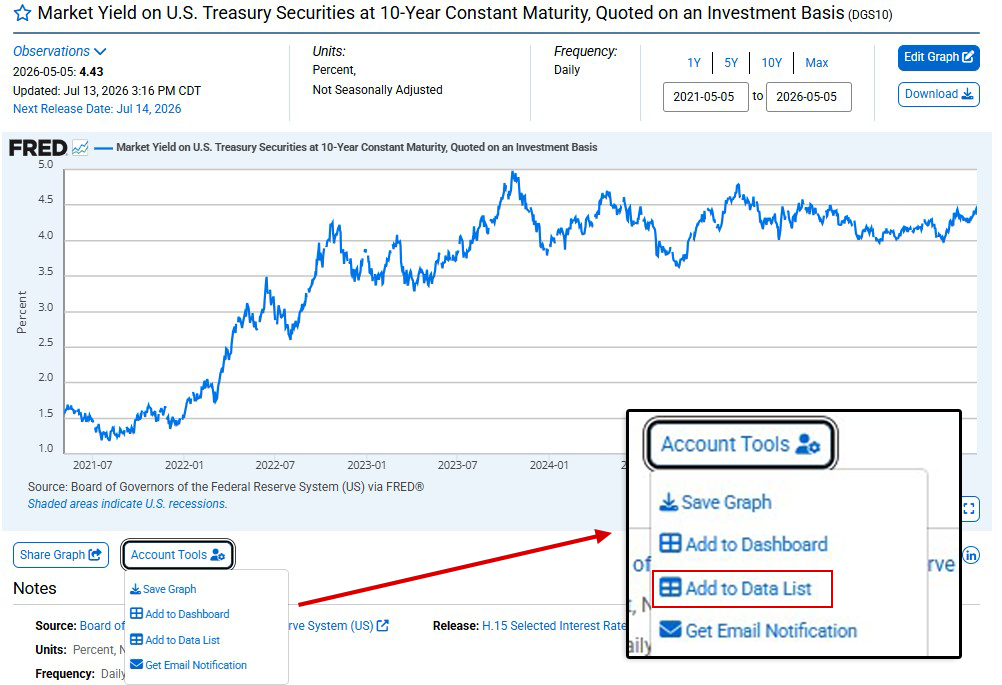
Search for a series in FRED. Once displayed, click Account Tools below the graph and select Add to Data List.
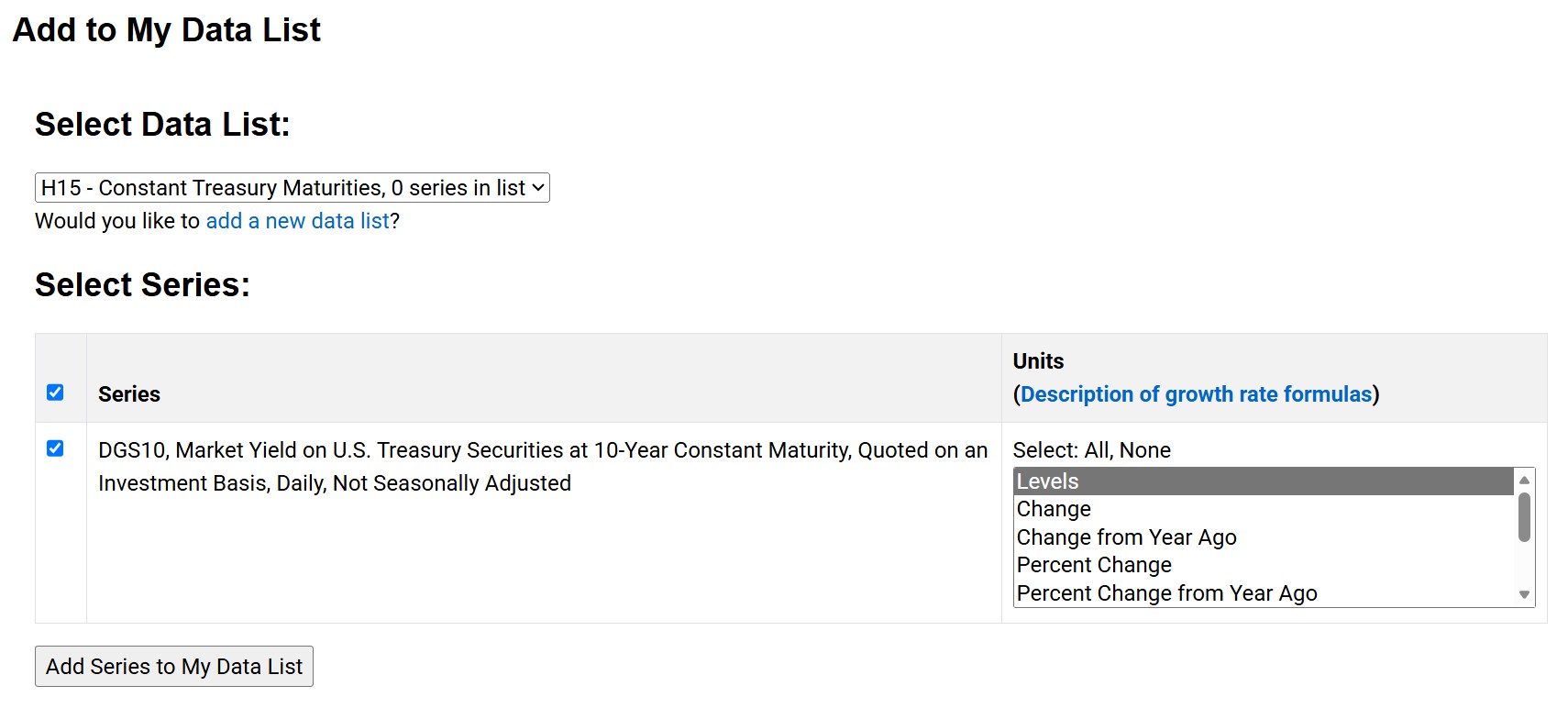
Customize the series by modifying the preferred units for display, then select Add Series to My Data List.
The FRED Add-in for Excel allows users to pull data directly into Microsoft Excel spreadsheets, facilitating analysis and recurring data updates.
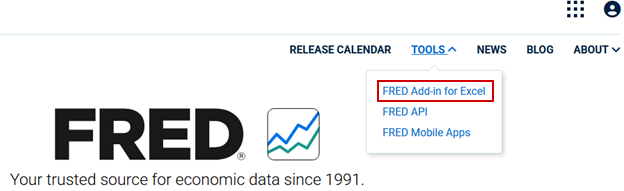
From the FRED homepage, click Tools and select FRED Add-in for Excel.
Follow the installation instructions provided by FRED.
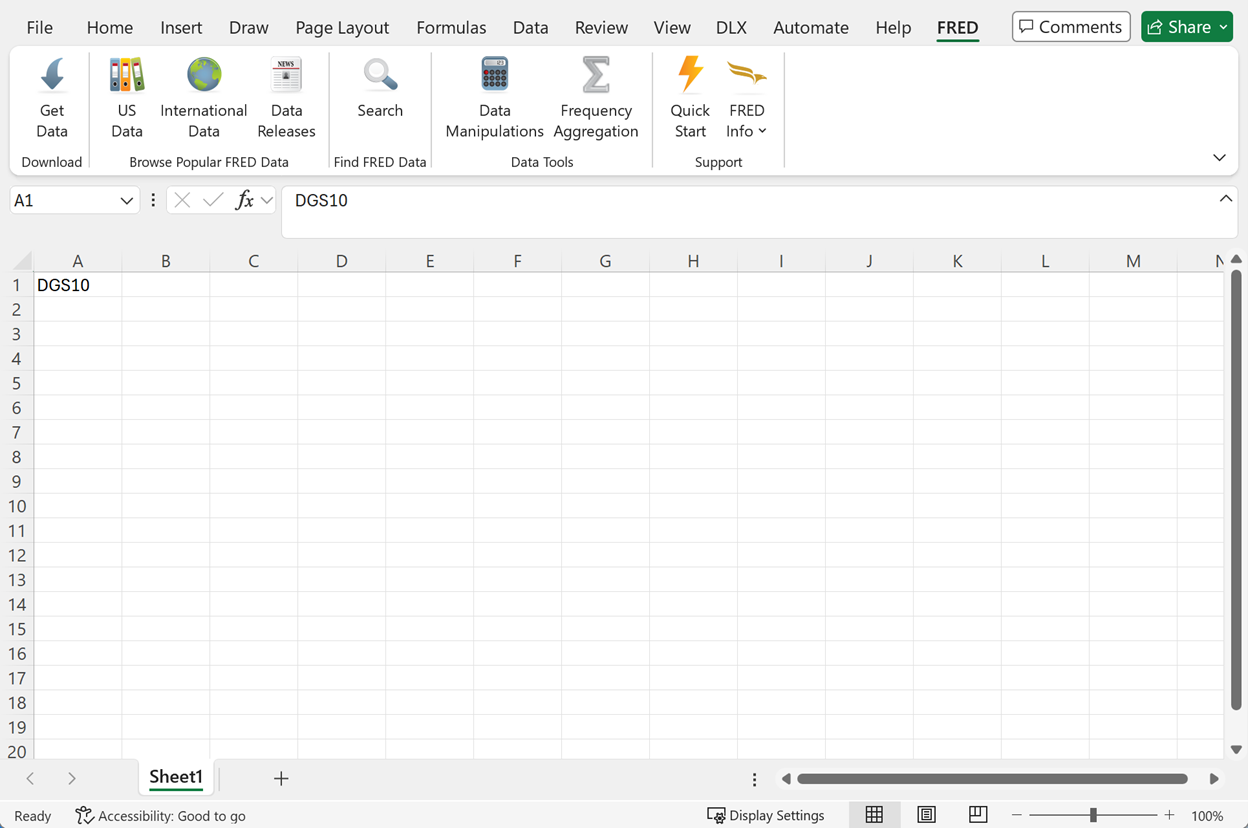
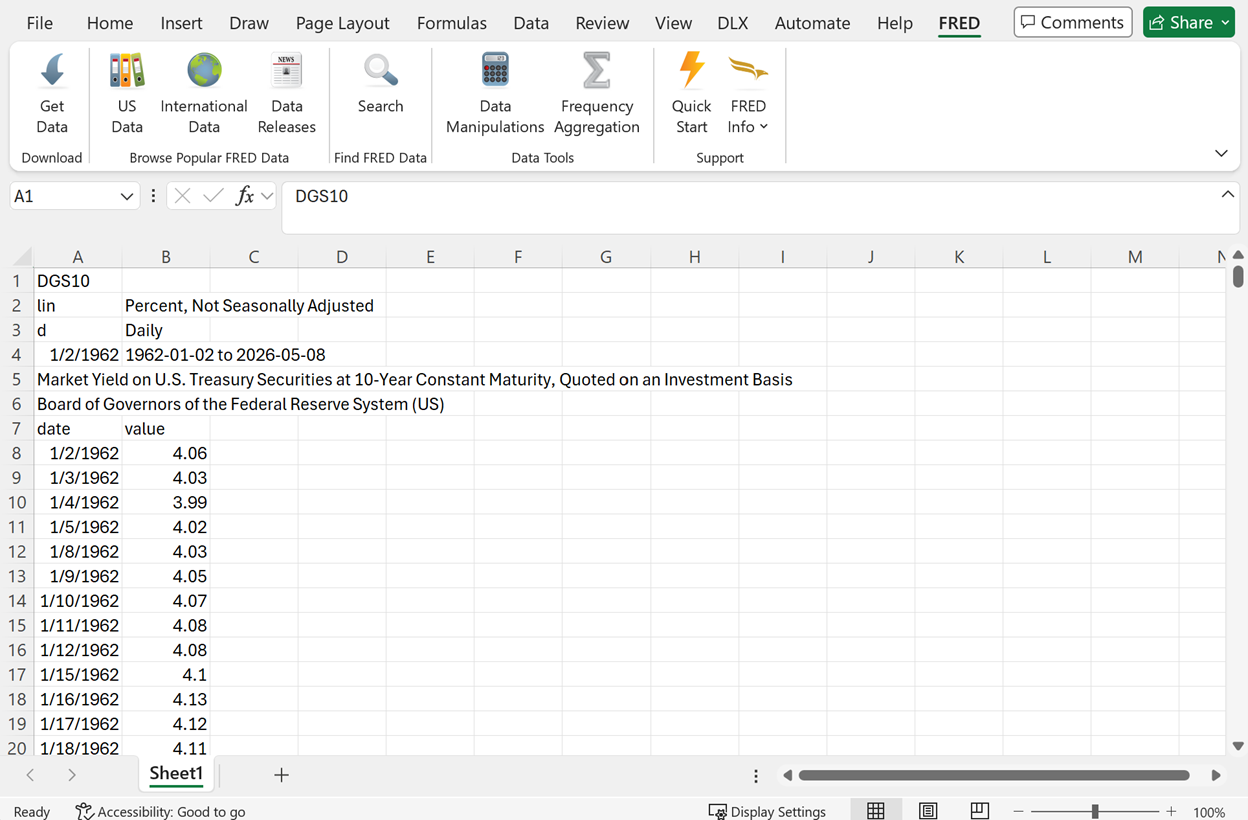
Once the FRED plug-in is available in Excel, add data series to the first row in the file. The data can be retrieved using the Get Data button on the navigation bar.
3. Downloading data programmatically
To facilitate automated downloads of DDP data, FRED offers two APIs.
API Version 1 is designed for incremental data series updates and provides additional customization features, such as the ability to identify and search for series by category, release, data source, or tags. Please refer to FRED's API documentation for a more comprehensive overview of all options for customizing requests.
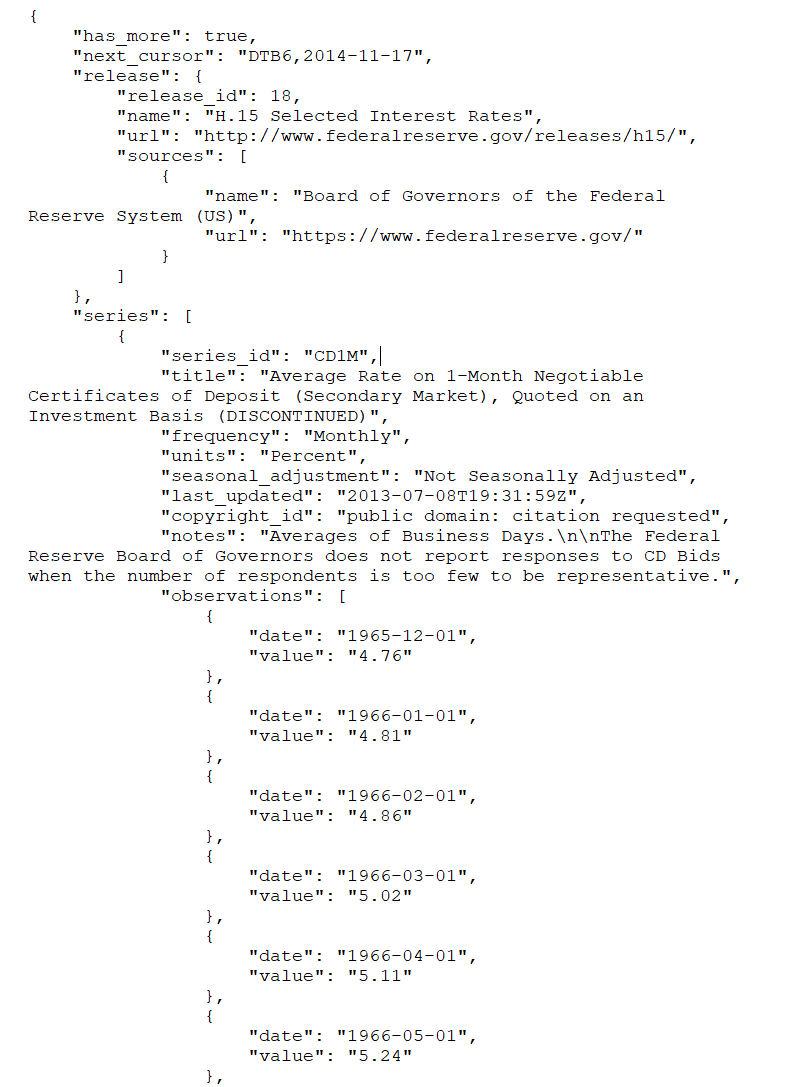
To obtain the metadata and data observations associated with a series from a DDP release, see the examples below. FRED uses different series IDs than the Board's DDP system. Refer to the crosswalk (CSV) document to translate between DDP and FRED series IDs.
Example 1: Retrieving series metadata
https://api.stlouisfed.org/fred/series?series_id=DGS10&api_key=abcdefghijklmnopqrstuvwxyz123456&file_type=json
Sample output:
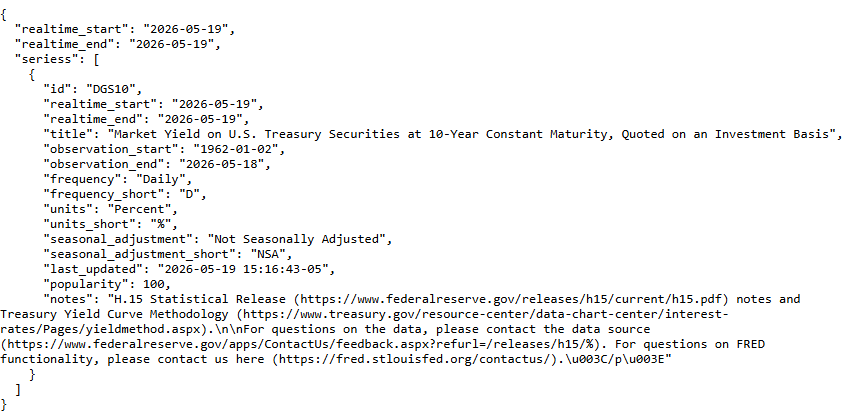
Note: This is a sample API request for demonstration. The API key 'abcdefghijklmnopqrstuvwxyz123456' will need to be replaced with your own registered API key for the link to work. Users must register for their own API key with FRED.
Example 2: Retrieving data observations
https://api.stlouisfed.org/fred/series/observations?series_id=DGS10&api_key=abcdefghijklmnopqrstuvwxyz123456&file_type=json
Sample output:
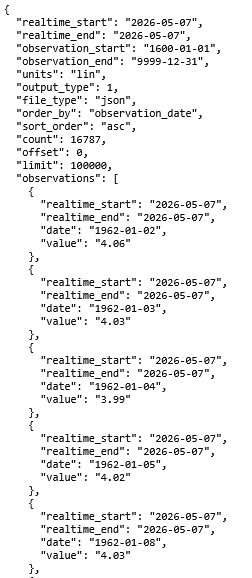
Note: This is a sample API request for demonstration. The API key 'abcdefghijklmnopqrstuvwxyz123456' will need to be replaced with your own registered API key for the link to work. Users must register for their own API key with FRED.
API Version 2 allows for bulk downloads of an entire data release and returns both the metadata and all data observations associated with a release.
Example: Retrieving a complete release
https://api.stlouisfed.org/fred/v2/release/observations?release_id=18&format=json
Note: This request assumes the API key has been set in an HTTP header. Refer to the FRED API documentation for details on authentication methods.